01
Point it at your place.
Connect a projector to your Mac. Place a camera beside it, with both facing your house.
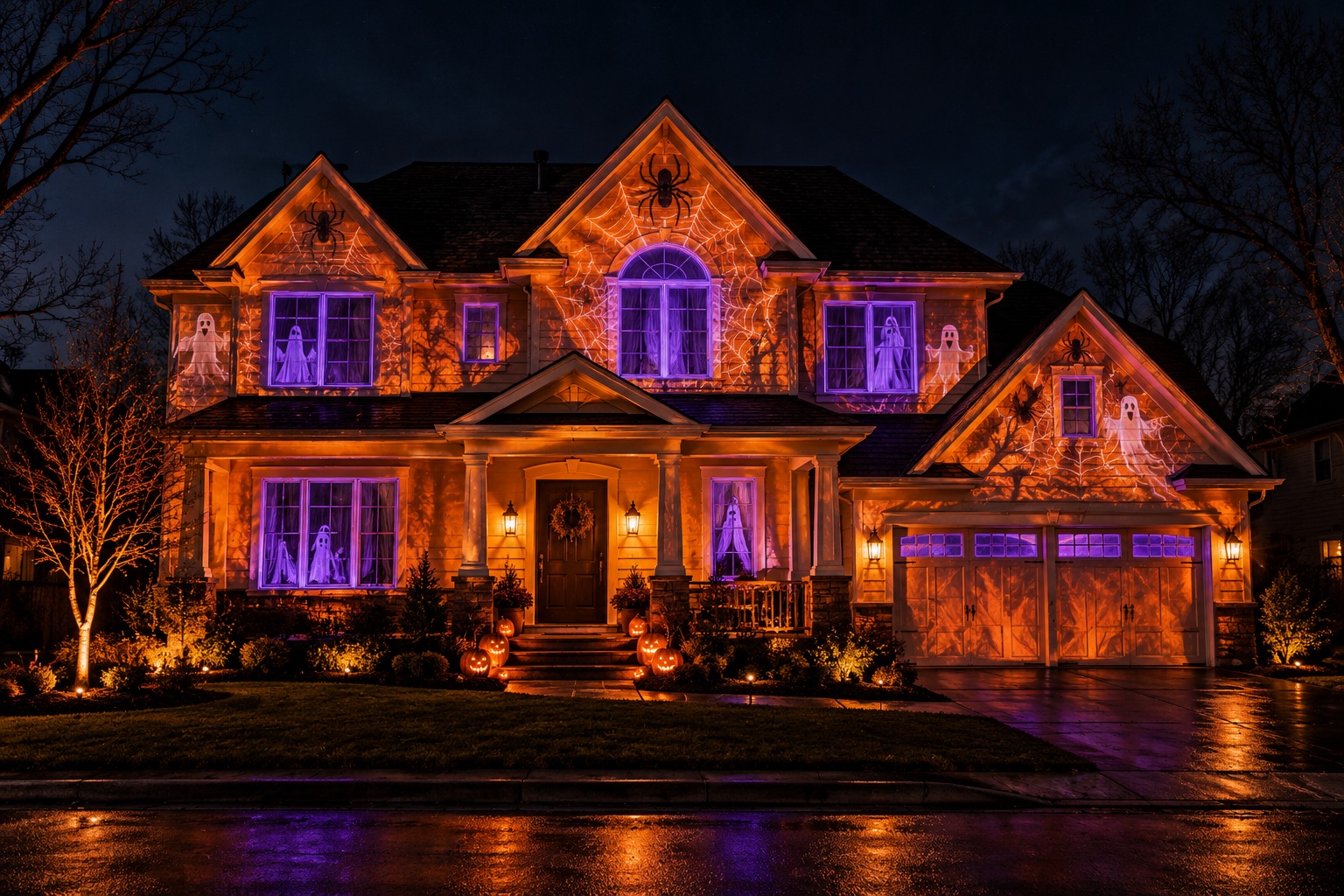
A little software. A whole lot of Halloween.
Turn your home into the house everyone stops for.
Halloween projection shows, made simple.
Made for Mac. Bring your own projector.
01 / FROM HOME TO HAUNTED
You bring the house. We bring the goosebumps.
Magic Beamer guides you from your first scan to your opening night.
Connect a projector to your Mac. Place a camera beside it, with both facing your house.
Run the guided scan, then check the outlines. Your walls, windows, and doors become part of the show.
Choose a theme, make it your own, and loop your show while you get back to handing out candy.
02 / CHOOSE YOUR HOUSE’S ALTER EGO
From ghostly visitors to things with too many legs.
Built-in themes put your home in a whole new light.
Ghosts in the windows. Creeping shadows. A little lightning to keep everyone guessing.
Webs in every corner. Spiders across the walls. And something bigger on the roof.
Glowing cracks, molten walls, and windows like furnaces. Your home, in full eruption.
03 / LESS FUSS. MORE FRIGHT.
Make the architecture part of the magic.
Then save your setup for another night.
Fit the show to your home’s features. Check and refine the scanned shapes so the light goes where you want it.
Start with Halloween themes, then adjust their colors, speed, and intensity. No animation skills needed.
Arrange your scenes into a show and set it to loop. Save your project to bring the haunt back another night.
You’ll need a Mac, a projector that can cover your facade, and a camera for scanning. Hardware is sold separately; darkness and a lighter exterior help the projections stand out.
THE FULL LICENSE
Pay once, keep it forever. One year of updates included.
Secure checkout by Stripe. Have a code? Add it at checkout. Your license key appears right after payment and arrives by email.
Checkout couldn’t start just now. Please try again in a moment.
NO MYSTERIES HERE
Magic Beamer is projection software for Mac. It connects to your projector and uses a camera to help map the show to your house. A projector and camera aren’t included.
No previous experience is required. House Mode guides you through setup, scanning, checking the shapes, choosing a theme, and running a show. You can adjust the detected outlines before you start.
You need a clear view of the area you want to project onto and a projector that can cover it. Light-colored, relatively flat surfaces work best. Dark brick, glass, trees, and bright streetlights can reduce visibility. Start with a smaller part of your facade to check your setup.
A webcam that can see the projection area from beside the projector. You can also use an iPhone as a Mac camera through Continuity Camera. The camera watches projected patterns during the guided scan.
Magic Beamer is currently built for macOS. Early access is for Mac; Windows isn’t available yet.
The Full license is $129, paid once, with a year of updates included — buy it above and your license key appears as soon as you pay. House scanning requires the full license.
THIS HALLOWEEN, BE THAT HOUSE.
Get early-access news for Magic Beamer.
Your next Halloween starts here.